Sedam Staging vs Virtual Staging AI
Choose Sedam Staging when you want photo checks, preserved originals and high-resolution listing downloads. Virtual Staging AI focuses on quick automatic furnishing and furniture removal.
Try 3 images free How we check photos3 free images total. No card · no monthly reset · listing images keep their label.
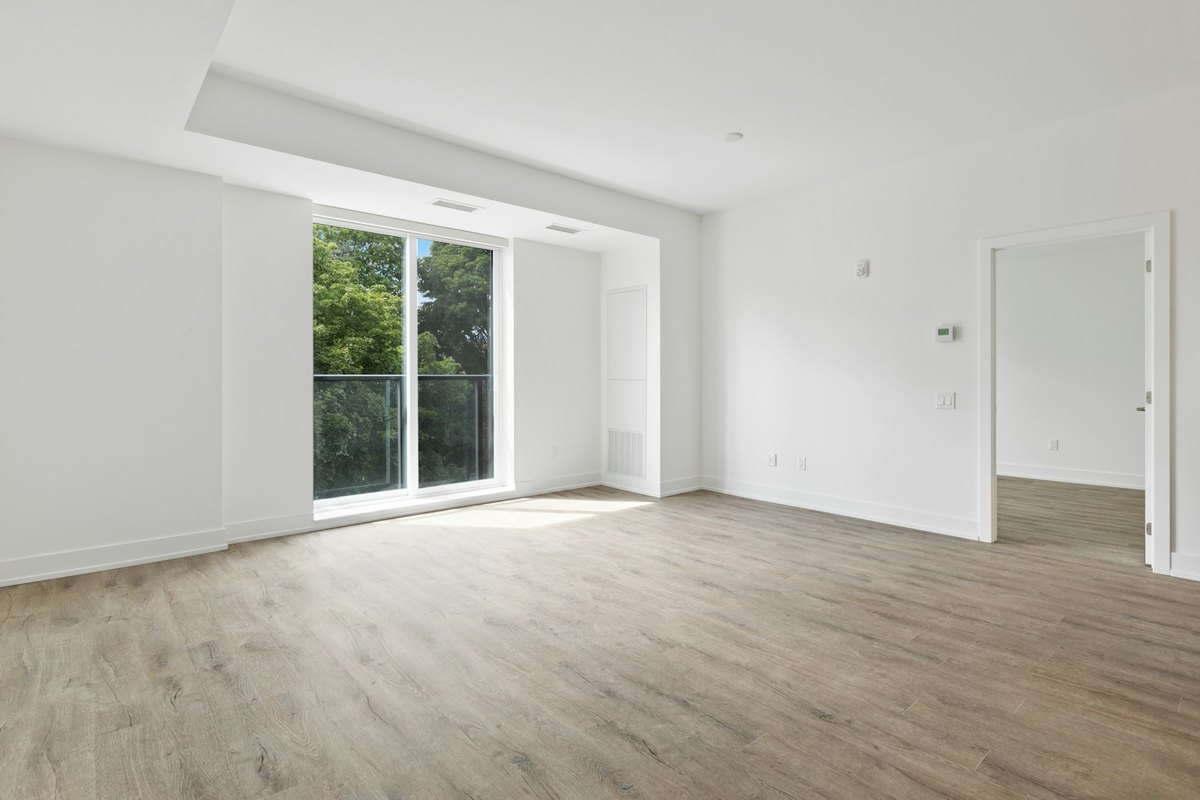
 OriginalNordic Light · verified
By Sedam Intelligence, maker of Sedam Staging. Sources checked 24 September 2026. This is our own comparison, not an independent review. We reviewed the other product’s public pages; we have not tested its paid tools. Features and prices can change.
Why choose Sedam when the original matters?
A room can look attractive while showing a window or fixed feature that was not there. Sedam’s Room Check compares each decorating result with the original and requested changes. A failed check triggers a retry or a visible failure. That checking step is the main reason to try Sedam when accurate listing photos matter more than a speed claim.
Listing images keep their staging label and original photo. See examples our checks refused to understand the kind of changes we look for. The check does not replace your review or local listing rules.
What Virtual Staging AI publishes
Its official website advertises automatic furnishing, furniture removal, more than 50 styles and unlimited regenerations. It also says it leaves the room layout untouched. We have not tested its results or internal checks. Sedam does not claim that its own checking process is unique.
What happens after the first image?
With Sedam, you can save a property’s original photos and try different styles. Compare the results, then download your chosen images on a paid plan.
Each new look uses your image allowance. Saved images can be viewed again without another generation. Listing downloads include the original and a disclosure label. New buyer links are not included at launch.
Check usage rules as well as price
Virtual Staging AI’s published regeneration offer may suit someone who wants several attempts at furnishing the same photo. Sedam counts new generated looks toward the applicable image allowance. Start with 3 free Sedam images, then compare your actual results and plan limits.
We do not rank the products on rendering speed or image quality: we have not run the same paid test in both.
How to compare results fairly
Use the same room photo and ask for the same change in each tool. Keep the original beside the result. Check doors, windows, room edges and fixed fittings. Then look at furniture size, clear walking space and the style you asked for. One good sample does not prove that every result will work.
Sedam’s decorating tools check results against the original and the change you asked for. Failed checks lead to a retry or a visible failure. Review both photos yourself too. Room Check is not a promise that a listing meets every local rule.
For your own ideas or a property listing?
You can use Sedam to picture a home you are considering, plan a move or refresh a room. Listing images keep a virtual staging label and the original photo. Private designs cannot be shared through buyer listing pages. Renovation ideas are separate and cannot be used as listing photos.
Compare the result on your own photo
Features and terms can change. Check the official Virtual Staging AI site and review the photos each tool makes. Our public-page review does not establish how another company checks images internally. See examples Room Check refused →