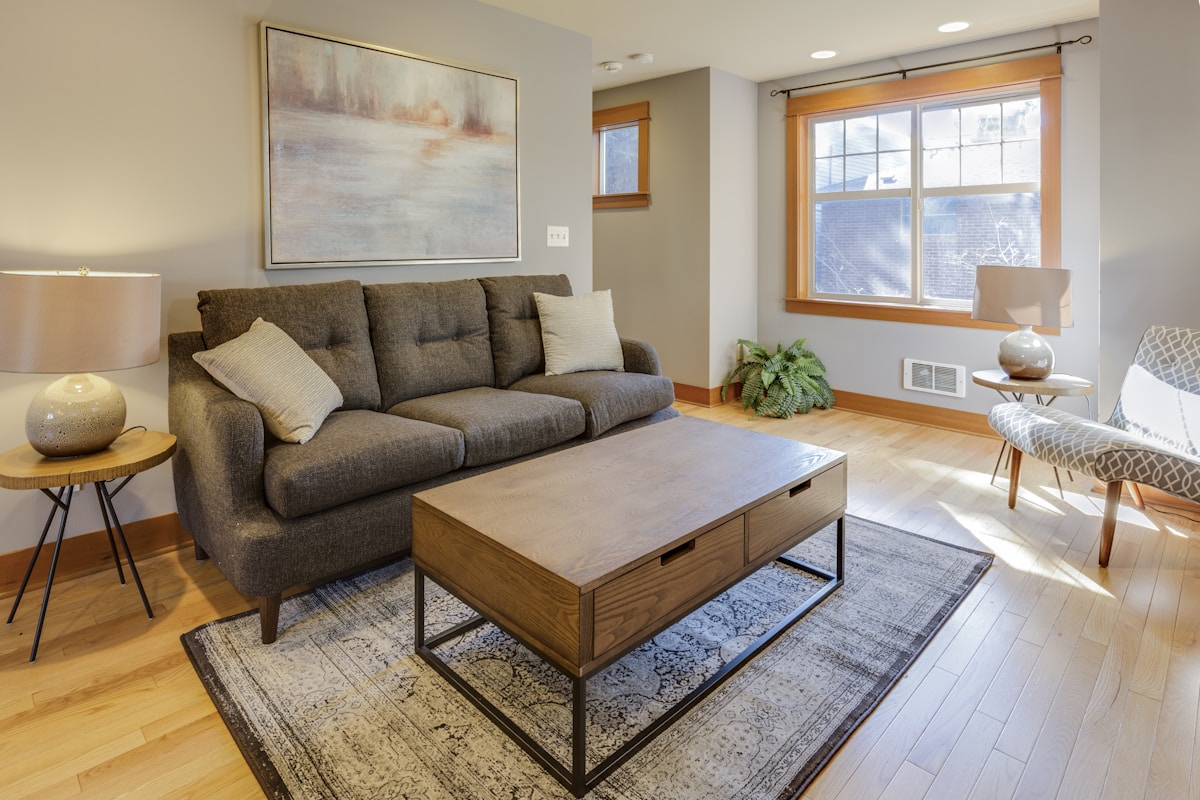
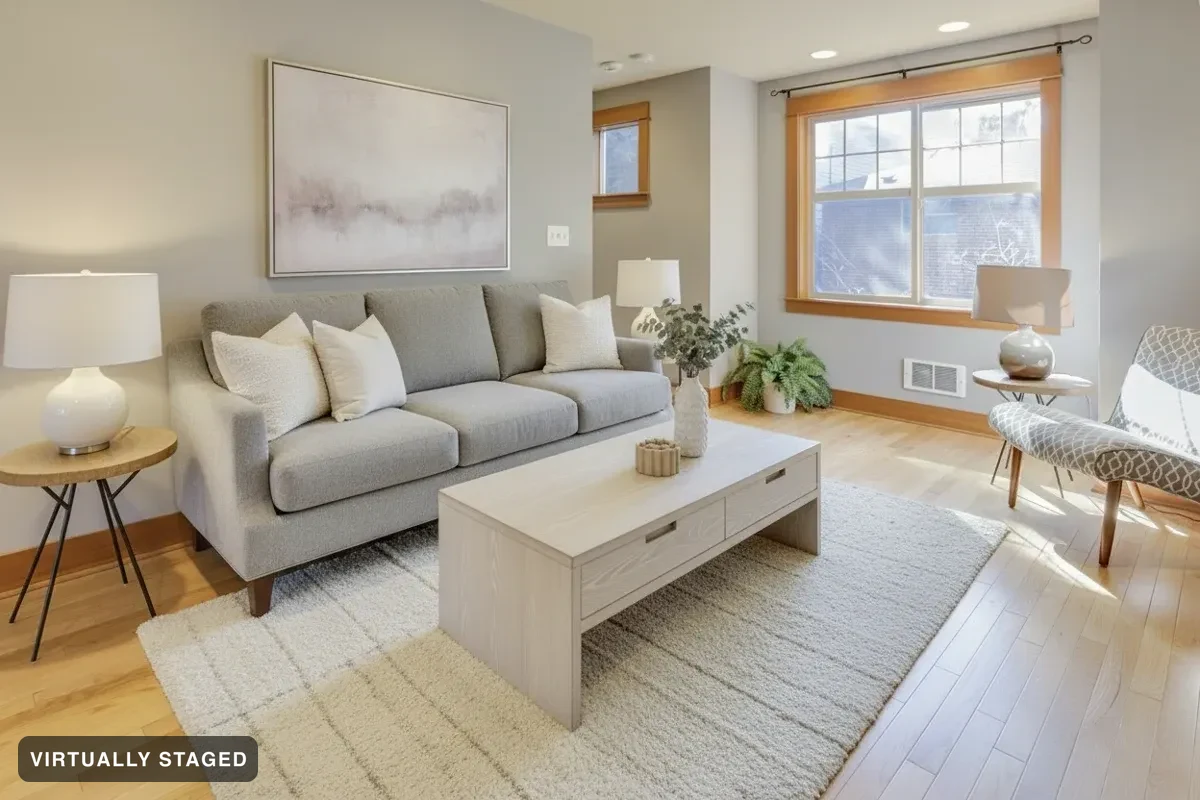
An occupied room is a different problem from an empty one. Restyle replaces the furniture and decor that’s already in the photo with a current look — while the check that guards every render makes sure the walls, windows, floor and built-ins came through untouched.
Restyle a room — free See what we catchFree to try. No card · every render checked against your photo · the label is burnt in.
OriginalCoastal Blue · virtually staged
Furniture, rugs, lamps, plants, art and counter objects may all change. That’s expected and the verifier is told so, in writing, so it doesn’t refuse an honest restyle.
Nordic, coastal, charcoal, terracotta, cognac and heritage are design languages, not furniture catalogues — each one reads differently on your actual space.
A restyled photo is a virtually staged photo. The label is burnt in and the original is kept beside it, exactly as with an empty room.
Every render is compared against the original photograph before it publishes. Walls, windows, floors and built-ins must survive, or the render is thrown away and re-run. On a real Halifax listing it caught a deleted staircase and an erased reception desk. See the three we refused →
That’s what this mode is for. Staging fills a void; restyle replaces what’s there. Personal photographs and belongings go with the old furniture — one of the few things an agent genuinely cannot fix without asking a seller to move out.
Your original photo and the render are read side by side by a vision model looking only at permanent features. Furniture may be added, removed or replaced — a wall, window or doorway that moved fails, and the render is regenerated. If it never comes back honest, that look is missing and we say which room.
Yes, when the image is labelled and the architecture isn’t altered — which is how Sedam Staging works. Every photo carries a “Virtually staged” label burnt into the file, the original is kept beside it, and walls, windows, floors and built-ins are never changed. You also get a paste-ready remarks line for your board.