These examples show what our image check found. It compared each result with the original and stopped images with missing fixed parts of the room.
Entry · Charcoal · 815–1048 Wellington St, Halifax
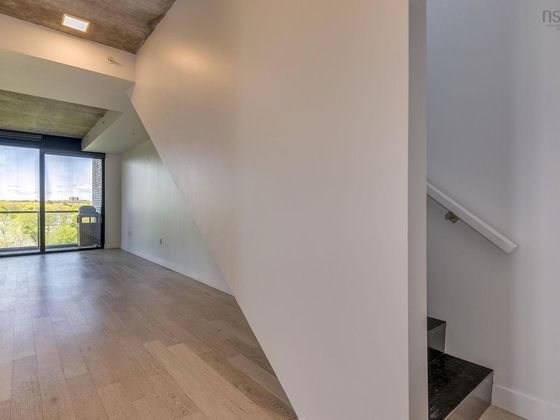
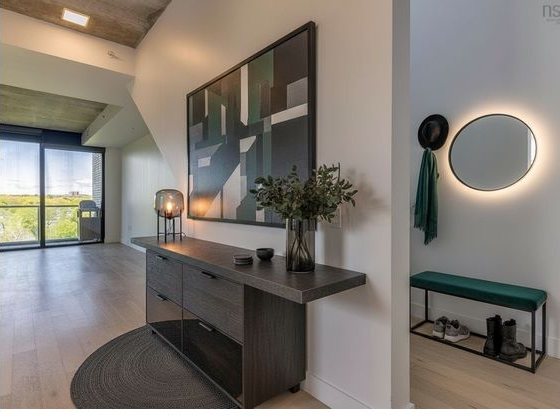
The check said: “The staircase with its wall-mounted handrail and open treads on the right was removed and replaced with a flat wall.”
The missing stairs made the room look different from the real property.
Lobby · Cognac · same listing
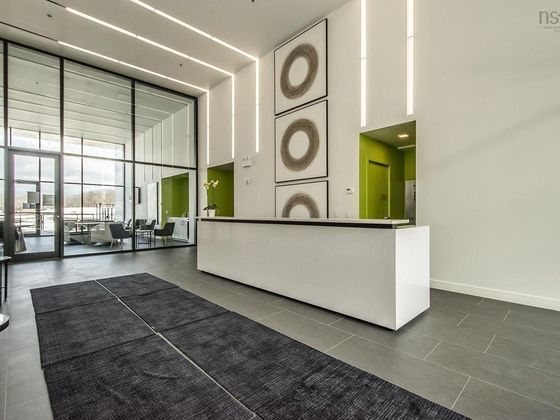
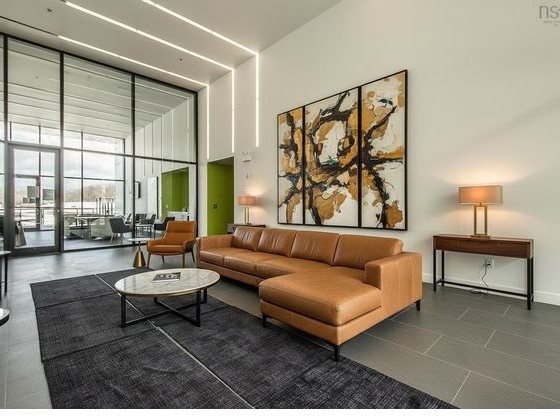
The check said: “The built-in reception desk and the green-walled alcove on the right were removed and replaced with plain wall.”
The check found that a fixed desk was missing.
Entry · Charcoal · after the image was re-run
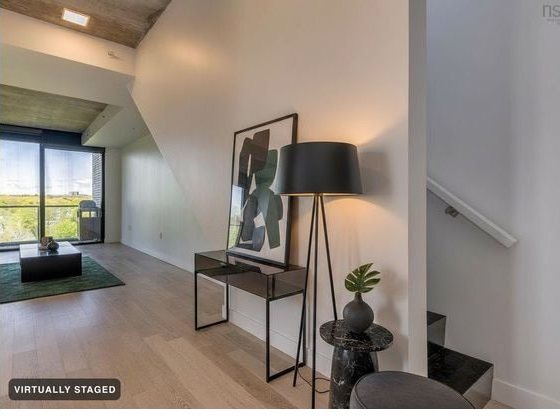
Same room, same style, a fresh attempt. Console, art, lamp and rug added. Staircase, railing, window, floor and wall exactly as photographed.
The failed result was stopped before it reached the buyer page.
These examples show checks for property listings. Listing results must pass before they are delivered or shared.
Personal designs work differently: safe images can be saved with notes when a check finds changes or cannot finish. They cannot go in listing files or buyer links. Always compare the result with your original.
AI can change parts of a room by mistake. A result may look real even when a window, wall or doorway is wrong. That is why we compare it with the original.
Check your local posting rules before using edited photos. Find your area’s guide.
We check each result before sharing it. Listing images keep the Virtually staged label and their original photos.
Review every result before you use it. AI checks can miss details.
 Sedam Staging