Iris vs HomeDesigns.ai

HomeDesigns.ai renders. Iris renders and checks its work.

Both furnish an empty room in about a minute. The difference is what happens next: Iris compares every render against your original photograph and throws away any that moved a wall, changed a window or invented a built-in. On a real listing, that is the difference between a photo you can put on the MLS and one that gets you a complaint.

Stage a listing free See what we catch

Free to try. No card · every render checked against your photo · the label is burnt in.

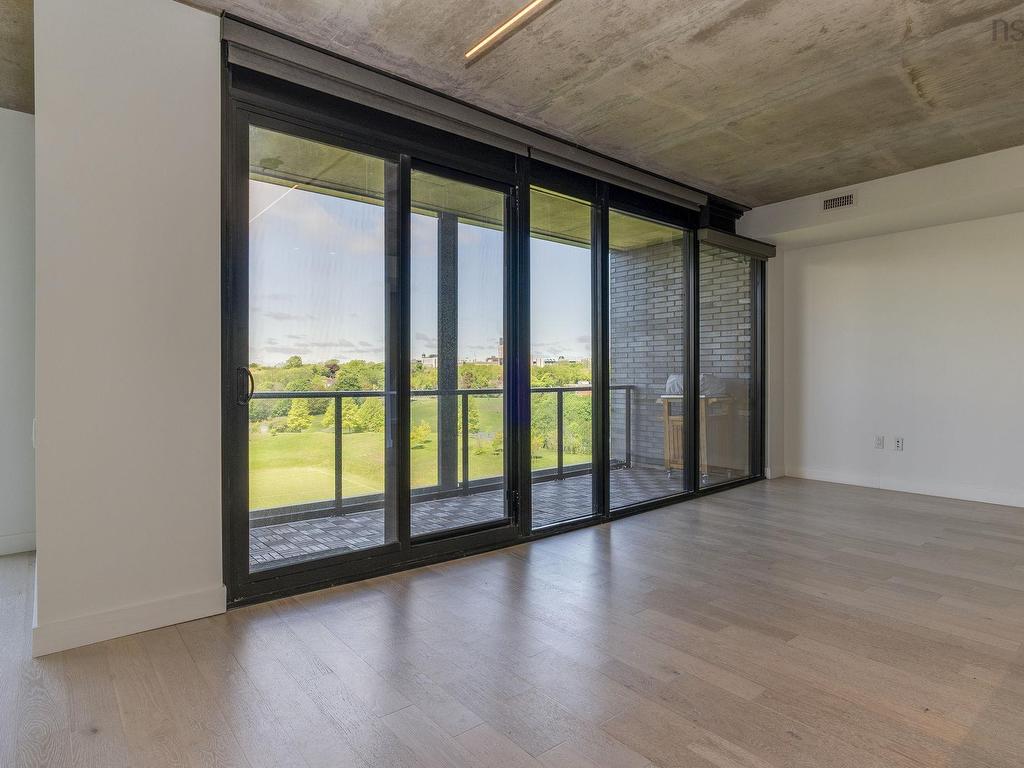
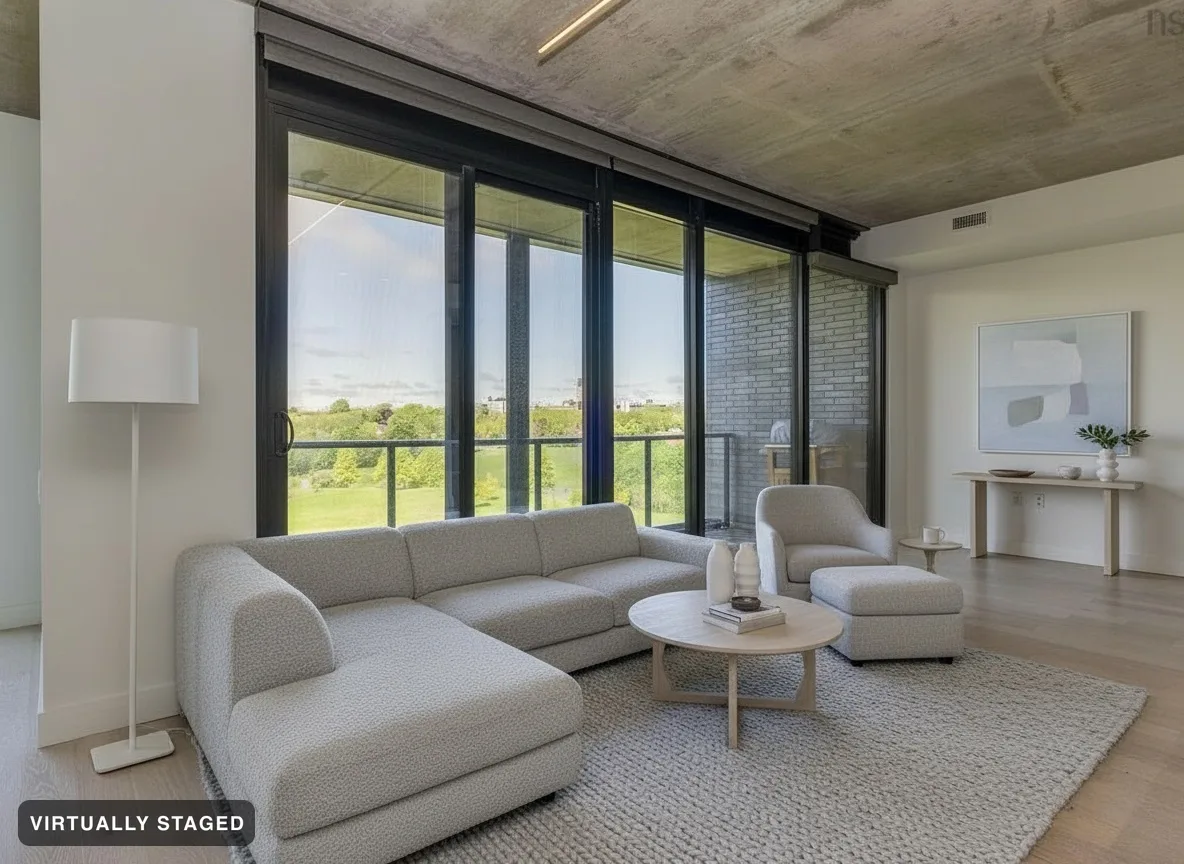
A living room exactly as photographed, unfurnished The same room, virtually staged in Nordic Light and verified by Room Check OriginalNordic Light · verified

Where Iris wins for a real listing

Every render is verified

Room Check compares each image to your original and refuses architectural changes. HomeDesigns.ai promises "your walls, windows and layout stay exactly as they are" — but nothing enforces it: it renders and ships, with no check against the source photo. Their own community gallery shows unfurnished concrete rooms transformed into fully built-out spaces.

Compliance is built in

A burnt-in "VIRTUALLY STAGED" label that can’t be removed, your original preserved and delivered, a paste-ready MLS remarks line, and a QR to the unaltered photo for California AB 723. Not a checkbox you might forget — the default.

You see what we caught

Every listing gets a Room Check report quoting the renders we refused. No competitor shows you their rejections, because no competitor produces them.

Made for Canadian real estate

CAD pricing, CREA/MLS-aware disclosure, fair-housing-safe art. HomeDesigns.ai is a general design tool; Iris is a real-estate compliance tool that happens to stage.

The whole listing, not just a photo

A $0 tour film assembled from the stills (it can’t hallucinate — it’s your real renders in motion), before/after reveal clips, and a hosted buyer page where buyers browse every room in every style.

No dropdowns, no mislabels

HomeDesigns asks you to pick the room type from a 60-option list before every render — label a living room "kitchen" and the AI builds cabinetry into it. Iris reads each photo itself and stages what is actually there.

Free to see it first

Your first property is staged whole, free, watermarked — no card. Decide after you’ve seen your own listing, not a demo. Uploads take JPEG, PNG and WebP.
The honest version: HomeDesigns.ai is a fine tool

We’re not going to pretend HomeDesigns.ai can’t make a nice render — it can. What it doesn’t do is check that render against your original photograph and refuse the ones that changed the room. For a listing you’re putting your name on, that check is the difference that matters. See the three renders we refused →

Stage a listing free

Questions

Is HomeDesigns.ai cheaper?

Per photo, often yes — and if all you need is a quick redesign of your own living room, that can be the right call. For a listing you’re putting your name on, the question isn’t price per render, it’s whether the render is safe to publish. Iris is the one that checks.

Do other AI stagers alter the architecture?

They can, because they don’t verify against your source photo. AI image models routinely redraw a window, remove a radiator, or invent a built-in — small changes that are a real misrepresentation on a listing. Iris exists to catch exactly those before you ever see them.

Can I try Iris without paying?

Yes. Your first property is staged in full, free and watermarked, with no card. That’s the whole house, every room, so you can compare it directly against whatever else you’re using.