She stages it. You sell it.

Walk into the listing presentation with the marketing already made.

Send Iris the photos of the home you're pitching. Get back a cinematic video, staged photos in six styles, and a disclosure-safe media kit for that exact house — before you've signed. Sellers don't pick the best agent. They pick the one who already did the work.

Free to try. No card. Watermarked preview of the home you choose. Pay only when it wins.

Drag to compare
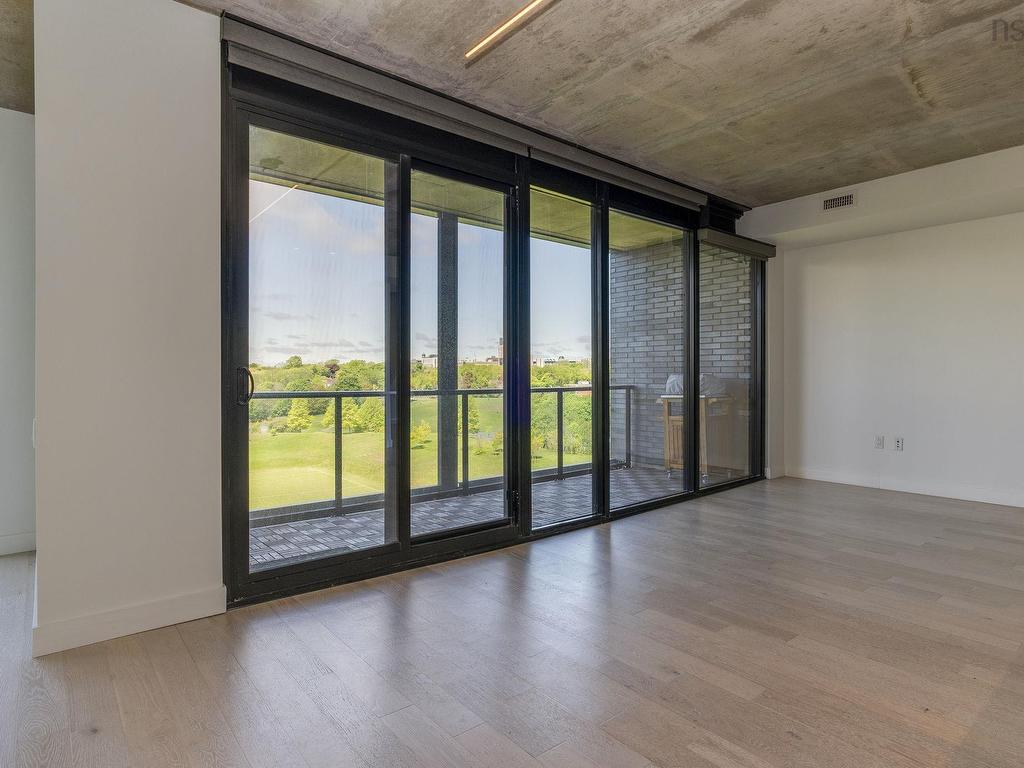
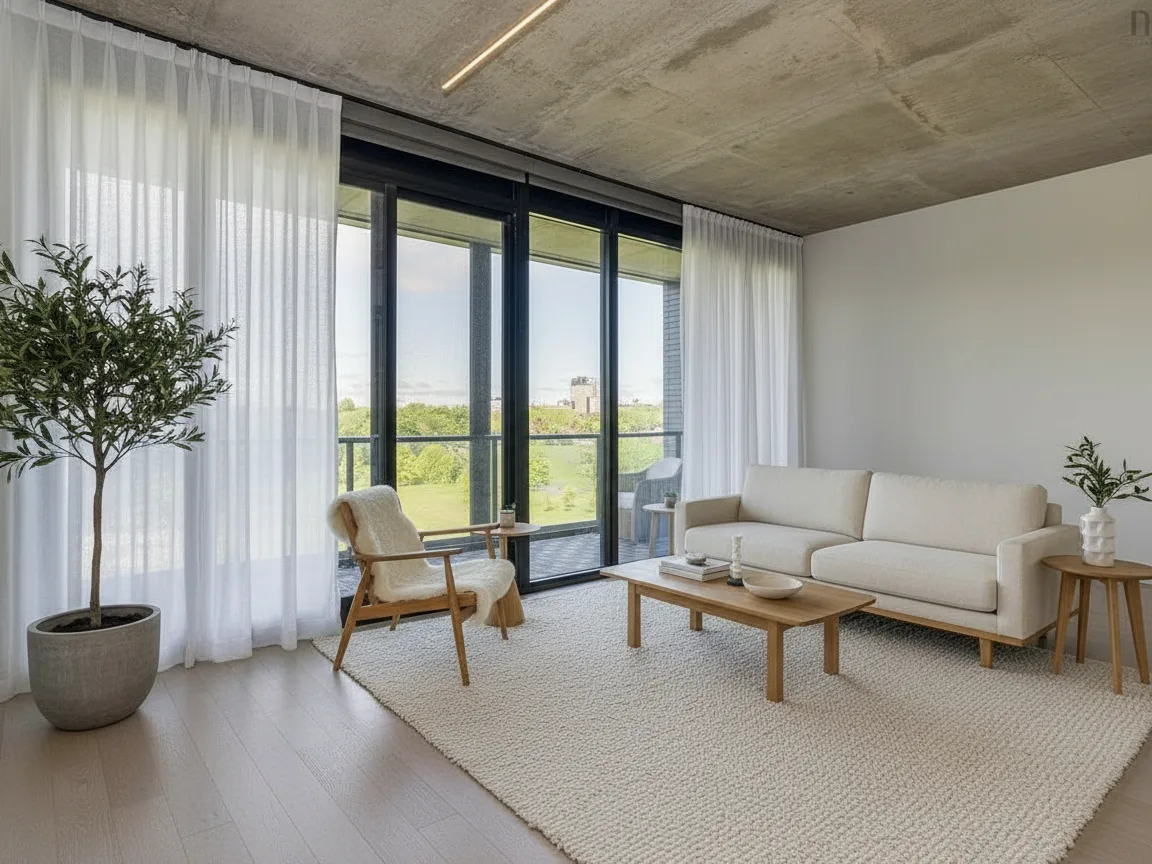
The living room exactly as photographed, unfurnished The same living room, virtually staged in Scandinavian decor Original Scandinavian · virtually staged
No card to try Your photos stay yours “Virtually staged” labels built in Made for Canadian boards

Try it on your own listing — free

Three steps. About a minute. The preview is watermarked; the “wow” is yours to keep.

Step 1 of 3
Add your listing photos
Drop your listing photos here or click to browse — 5 to 15 photos works best. JPG or PNG.
or

Building your preview…

Iris is reading your rooms and planning the camera path.

Step 1 of 4 — reading photos

Free preview is 480p with a small watermark. We email you the video — no card, no account, no spam. Staged photos are always labelled “Virtually staged.”

From camera roll to posted in one coffee break

1

Add your photos

The ones you already take at every listing. Phone photos are fine. Empty rooms? Iris can virtually stage them — always labelled, board-safe.

2

Pick a look, tap go

Six styles, tuned by us so quality never depends on your prompting. Length and quality in two taps. That’s the whole skill requirement.

3

Post it everywhere

Instagram, TikTok, your MLS remarks, the seller’s family group chat. Sellers see the video — and remember who made their home look like that.

One listing. Three looks.

Buyers don’t buy rooms — they buy the life they imagine in them. Different buyers imagine different lives. So Iris stages the same listing three ways, and you post all three.

Scandinavian Light

For the first-time buyer

Light oak, white linen, one olive tree. The 28-year-old scrolling at midnight sees their first home — and saves the post.

Modern Luxury

For the move-up executive

Leather, marble, brass. The buyer upgrading from a condo sees the promotion they just got — and books the showing.

Warm Family

For the growing family

Plush sofa, throw blankets, golden light. The parents outgrowing their place see Sunday mornings — and tell their agent.

Same photos. Three videos. Three audiences. One listing that finally reaches everyone.

One subscription. Every listing handled.

Try it free, watermarked. Subscribe and everything you make is clean — the honest “Virtually staged” label is the only mark we ever leave.

Free

$0
see it before you spend a dollar
  • 1 property, all 6 styles
  • Watermarked staged photos + 1 video preview
  • No card, no account
Start free
Most popular

Starter

$29 / month
or $290/yr — two months free
  • 5 properties a month
  • 10 clean staged photos per property — no watermark, MLS "Virtually staged" label stays
  • Reveal clip + 2 social video cuts per property
  • Captions written for every platform
One staged listing elsewhere $120–360$29/mo

Pro

$79 / month
or $790/yr — two months free
  • Unlimited properties & staged photos
  • 8 cinematic films a month (15s, 3 cuts), then $15 each
  • Drone-style aerials included
  • Priority render queue
A videographer's single visit $300–800$79/mo

The honest math.

You can absolutely do this yourself. Here’s exactly what every route costs — pick with open eyes.

Hire it out
$550+ / listing
  • $400–800 — videographer, one listing video
  • $120–180 — staging 5 rooms at $24–36/photo (BoxBrownie, Styldod)
  • 2–5 days turnaround, plus scheduling the shoot

Worth it for a $2M listing film. Hard to justify for every listing you’ll ever take.

Do it yourself
~$40 / listing + your evening
  • $39/mo — Higgsfield Plus (≈$2–4 per clip; a 30s video is 4–6 clips)
  • ~$2 — AI staging apps, pennies per photo
  • 2+ hours — learn prompts, fix warps, edit cuts, add music & captions

Genuinely the cheapest route — if your hour is free and you enjoy the tools. Most agents quit after listing #2.

Iris
$79 / listing
  • One price — video in 15s/30s/60s + up to 5 staged photos
  • ~10 minutes of your time, total. No prompts, no editing
  • “Virtually staged” labels baked in. Redo free if a room warps

You’re not paying for AI — you’re paying to never open the AI. If $39 saves you two hours, take the listing appointment instead.

Post it, share it — we pay you back.

Your video is your ad — and ours. Post it and tag us, send a colleague, or let us show your before/after — every one earns you free or discounted listings. No view counts, no fine print.

Agents who post get seen. Agents who get seen get the next listing.

Post your Iris video, tag @sedamintelligenceNext listing 50% off
Refer an agent who buys a listingYour next listing free
Let us use your before/after as a case studyA free listing

Fair questions

Is this a real 3D tour?

No — and we won’t call it one. Iris makes a cinematic video from your photos: smooth camera-style moves through each room, cut to a look you pick. It’s built for social and MLS remarks, where buyers actually watch. If you need a true walkthrough scanner, that’s a different tool.

Can’t I just do this myself with CapCut or Higgsfield for $10 a month?

Yes — and if you enjoy the tools, you should. The honest math is above: about $40/listing in subscriptions and credits, plus roughly two hours of prompting, re-rendering warped rooms, cutting clips, and adding music and captions. Iris exists for the agent whose two hours are worth more than the $39 difference — and who never wants to learn what a “camera path prompt” is.

What about the cheap AI staging apps — $0.30 a photo?

They’re real, and they’re fine at what they do. Three things they don’t do: they don’t make your video (that’s a second tool and a second learning curve), they don’t label photos “Virtually staged” for you (your board cares about that — Iris bakes it in), and they bill monthly whether you have a listing or not. Iris is one upload, one price, only when you have a listing.

Are staged photos allowed by my board?

Virtual staging is widely accepted when it’s disclosed — so every staged photo Iris makes carries a clear “Virtually staged” label automatically. You never have to remember; it’s baked into the image. Always follow your own board’s rules.

Do you keep or reuse my photos?

No. Your photos are used to make your video and your staged images — that’s all. We don’t sell them, train on your listings, or show them to other agents.

What if a room comes out looking weird?

Video-from-photos tech can occasionally bend a wall or a chair. If a render isn’t postable, we redo it free — and the free preview exists so you never pay for a weird room in the first place.

How fast is it really?

Free previews land by email in about an hour, usually faster. Paid HD kits are back within 24 hours, or the listing is free.

Your next listing deserves better than a photo dump.

Make the free preview. Show it to your seller. Watch their face.

Make my free video